
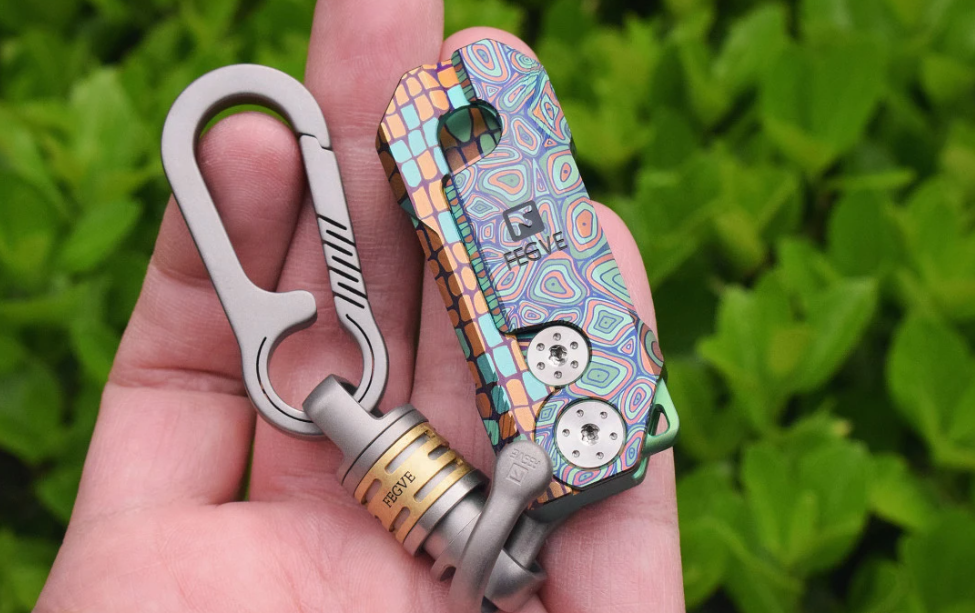
Your EDC doesn’t live entirely in your pocket. For many enthusiasts, significant time is spent at desks—work desks, home offices, bedside tables. Where and how you display your carry pieces reflects your relationship with them. Let’s explore desk setup philosophy, from minimalist functional arrangements to elaborate shrine configurations.
The Philosophy of Display
EDC display serves multiple purposes: accessibility, appreciation, and inspiration. A piece on your desk is a piece you’re thinking about—reminding yourself why you chose it, how it performs, whether it deserves continued carry space.
The line between “functional arrangement” and “obsessive display” is personal. For some, three items maximum. For others, rotating galleries with dozens of pieces. Both approaches are valid if they serve your relationship with your carry.
Functional Arrangements
The Minimalist Desk
One EDC tray, five items maximum, nothing decorative. Philosophy: everything in your pocket is there for use. The desk arrangement is just a staging area for items you might need.
Typical items:
- Primary carry piece (spinner, fidget tool)
- Keychain system
- Watch (if applicable)
- Pen or pencil
- Small multi-tool
The Tech-Savvy Setup
Magnetic charging bases serve double duty: they charge devices AND hold titanium pieces. The magnetic attachment means pieces are accessible but secured—no rolling off the desk, easy to grab when leaving.
Appreciation Displays
The EDC Shelf
Open shelving units dedicated to EDC collection. Glass-fronted cabinets protect pieces from dust while maintaining visibility. Lighting—natural or accent LED—creates visual drama. Each shelf becomes a vignette: one spinner, one knife, one light, arranged with intention.
The Rotation System
Large collections benefit from rotation. Week one: spinner collection on display. Week two: keychains. Week three: fixed-blade pieces. The rotation keeps your space fresh while preventing pieces from being forgotten in storage.
Desk Integration Ideas
Pen Cups and Holders
Custom titanium pen cups hold more than pens. Spinners, small tools, and fidget pieces fit naturally. The cup becomes a focal point—functional and aesthetic.
Monitor Stands
Raised monitor stands create horizontal display space underneath. FEGVE’s titanium trays fit this space perfectly—pieces visible but not occupying desk surface area.
Monitor Light Bar Compatibility
Modern monitor light bars illuminate your workspace without screen glare. Positioned correctly, they create museum-quality lighting for EDC pieces—dramatic shadows, clear highlights, professional presentation.
The Smartphone Dilemma
Most of us spend significant desk time with smartphones. Where does the phone live while working? Several approaches:
- Face-down in holder: Out of sight, but accessible
- Charging stand: Visible, but takes desk space
- Dock position: Central placement, but blocks keyboard reach
Whatever your phone arrangement, ensure EDC pieces don’t compete for the same space. Your attention is limited—pieces you’ll actually use should be accessible; pieces you’re displaying should be visible without demanding attention.
Photography Considerations
If you share your setup on social media, desk arrangement becomes deliberate. Key principles:
- Clean background: Solid colors (white, gray, wood) let pieces stand out
- Intentional lighting: Single light source creates shadows and depth
- Negative space: Don’t crowd the frame—pieces need room to breathe
- Color coordination: Complementary colors create visual harmony
Common Mistakes
Too Much Clutter
Every piece deserves attention. 30 items on a desk = no items getting attention. Curate ruthlessly. If a piece hasn’t been touched in a month, it belongs in storage.
Functional Impairment
Your desk is a workspace. If EDC pieces are interfering with actual work, you’ve crossed a line. The spinner shouldn’t block your typing. The display shouldn’t require clearing every time you need to write.
Inconsistency
Ads, papers, coffee cups, and random items destroy the most carefully planned EDC arrangement. If you can’t maintain the arrangement, design a simpler one.
My Current Setup
For reference: I keep a single titanium tray on my desk’s right side (non-mouse hand). Contents:
- FEGVE Centering II spinner (daily carry)
- One backup keychain piece (rotating weekly)
- Small titanium pry tool
Everything else lives in a drawer or rotation system. This setup works: functional pieces accessible, rotating interest, no clutter.
Finding Your Balance
The “right” desk setup is personal. Some people need visible reminders to actually use pieces. Others find display distracting. Test different approaches, see what increases your engagement versus what becomes background noise.
Your desk is where you spend 8+ hours daily. Make it work for you, not against you.
Related Reading:
• Precision Fidget Spinners for Adults — Best desk spinners
• The EDC Gift Guide — Desk setup gift ideas
Frequently Asked Questions
Q: How do I protect pieces on display from dust?
A: Glass-fronted cases or domed display covers work well. For open shelving, regular dusting (weekly) prevents accumulation. Pieces with complex geometries—spinners, tools—need more frequent attention than flat items.
Q: Should I display pieces I’m afraid to carry?
A: If you’re afraid to carry a piece due to value, consider whether it’s right for your EDC at all. Carry the pieces you’ll actually use; display the pieces that serve better as conversation pieces than daily tools.
Q: How do I photograph desk setups without glare?
A: Position your light source at 45° angles to the subject. Avoid direct light. Polarizing filters (if your camera supports them) reduce reflections on titanium surfaces. Time of day matters—overcast natural light creates soft, even illumination.